 The 500 Card Game
For iPhone, iPad and your browser
The 500 Card Game
Our house version of 500, the trick-taking card game of bowers, the Joker and misère. Play the computer on your own, sit down with friends online, or climb the ranks from Ten to Joker.

Scan with your iPhone to open the App Store page.
Android: coming soon to Google Play.
- Free
- No ads
- No in-app purchases
- Plays offline
Features
A full table, wherever you are
Everything you expect at the kitchen table, from the kitty to Open Misère, with computer players who know the game and friends who are a code away.
Solo, even offline
Three levels of computer players fill every empty seat. Pick up a saved game whenever you like.
Online with friends
Share a room code or an invite link, chat at the table, form a guild and schedule your next game.
Ranked play
People only, no hints. Climb seven ranks named after the cards, from Ten to Joker, with a leaderboard.
Make it your table
Card themes and backs, four-colour suits, large cards, music and sound you can set just how you like.
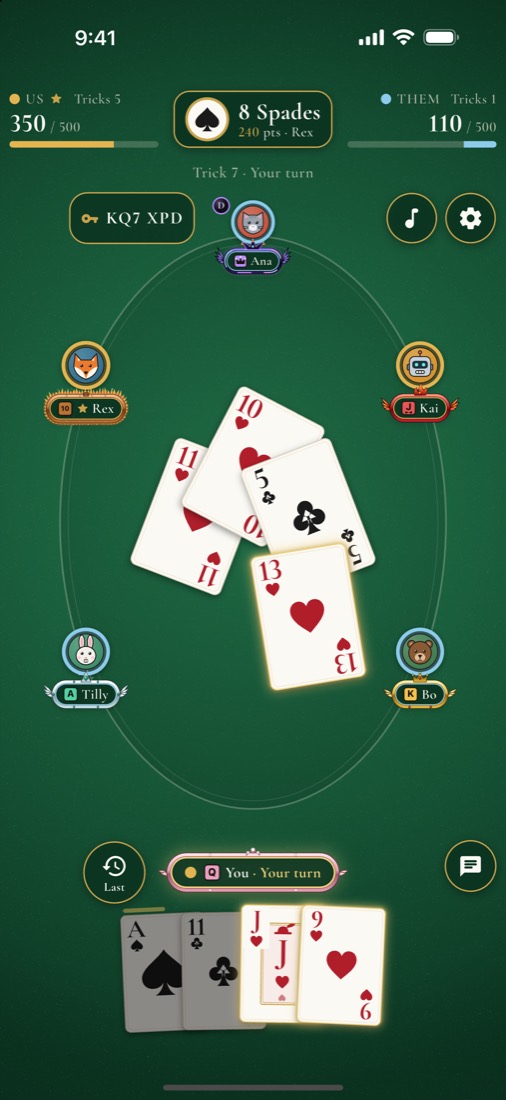
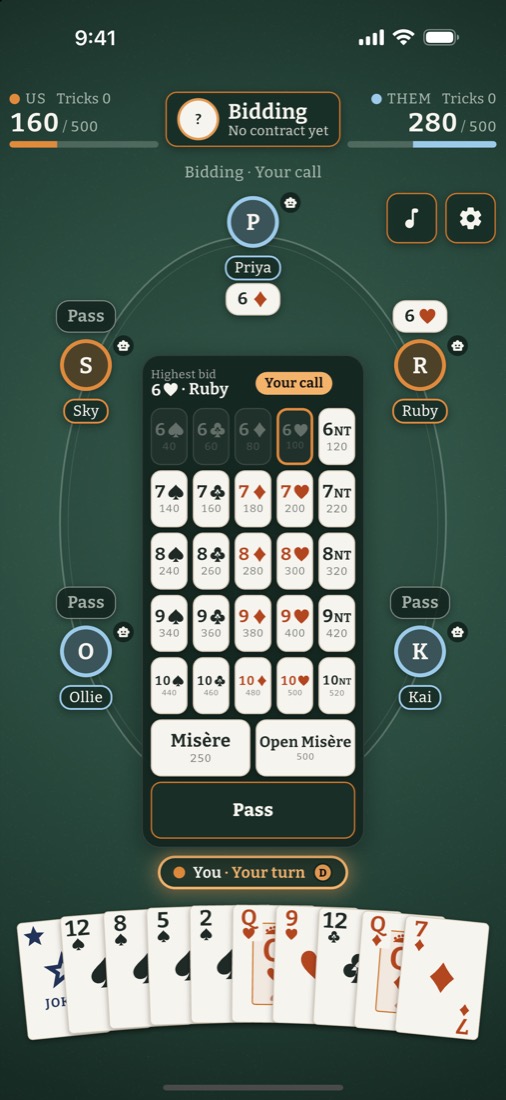
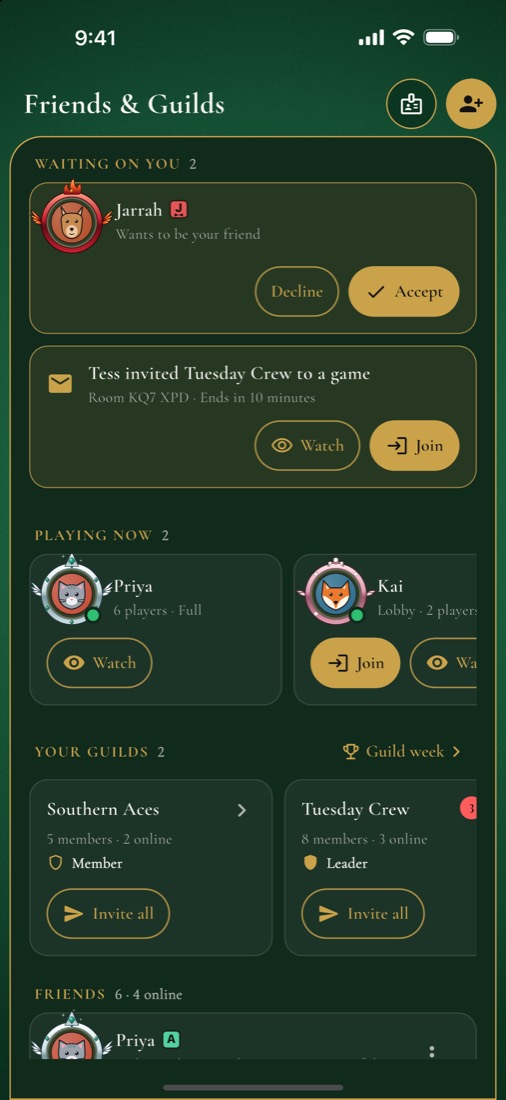
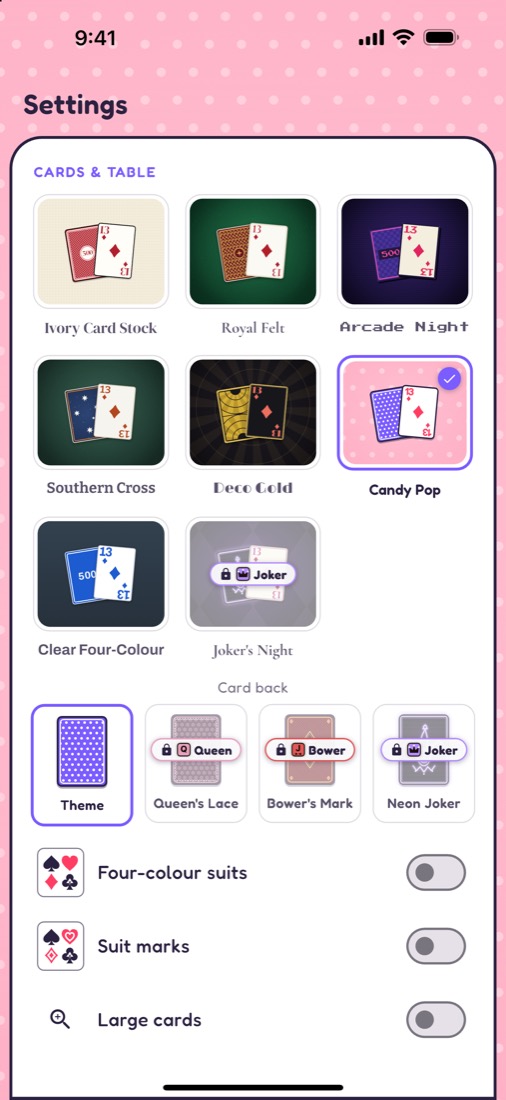
How you play
Five ways to play, 2 to 6 players
The Joker, the Right Bower and the Left Bower, the Avondale bid table, the kitty and slams, with Misère and Open Misère you can bid at any time. Scoring to 500, with a look back at every trick.
- 6 playersTwo teams of three, with 11s, 12s and red 13s
- 5 playersCall a partner by naming a card
- 4 playersTwo teams of two
- 3 playersCutthroat: the bidder against the other two
- 2 playersTwo-hand, with face-up piles
Deal yourself in
Free on iPhone, iPad and in your browser. No ads, no purchases, no real-money gambling.
Scan with your iPhone to open the App Store page.
Support
We're here to help
A question, a bug, or a rule that looks wrong? Write to us. It helps to say which phone you use, the app version (Settings › Help & about) and what happened.
✉ fivehundredcardgame@gmail.comHow do I join a friend's game?
Tap the invite link they sent, or open Play Online › Join and type the 6-character room code.
The app says "Please update to play online"
Online play needs the latest version. Update the app from the App Store; solo games keep working in the meantime.
How do I report or block a player?
At an online table, open the chat and choose Report or Block on that player. You can also write to us with the player's name and the room code. We act on reports within 24 hours.
How do I turn off chat?
Settings › Online › Chat › Hide quick-chat removes chat from your tables entirely.
How do I delete my online account?
In the app: Settings › Account › Sign-in & safety › Delete account. See the steps and what is deleted. Solo games and settings stay on your device until you uninstall the app.